 PadLoop
Free tool · no upload
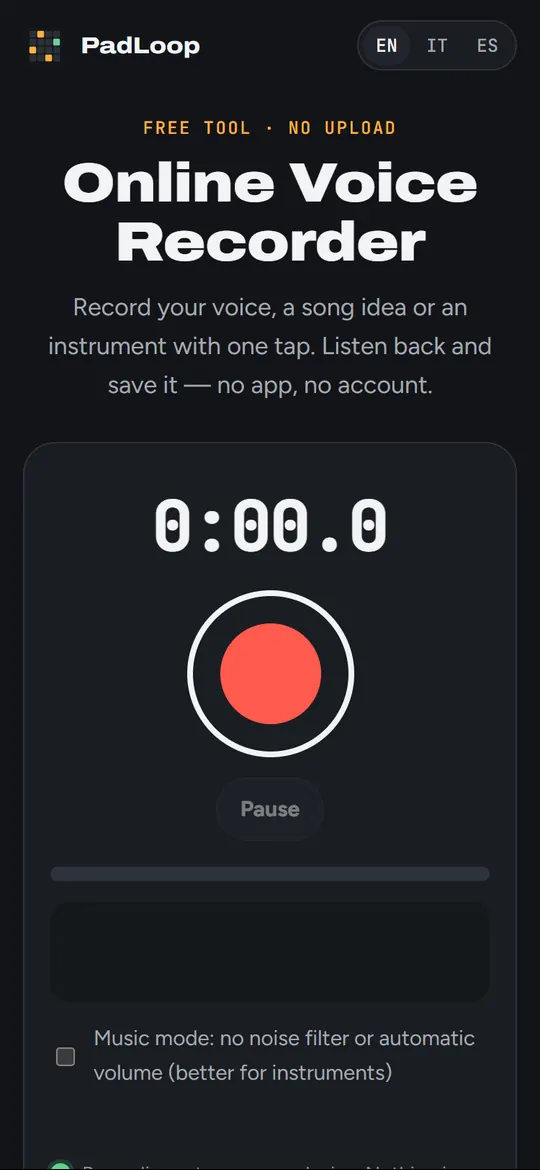
Online Voice Recorder
Record your voice, a song idea or an instrument with one tap. Listen back and save it — no app, no account.
Recordings stay on your device. Nothing is uploaded: the microphone is only used while you record.
Your recordings
Nothing yet. Tap the red button to start.
They stay in this browser until you delete them. Save the ones you want to keep.
Record over a beat, in loop
In PadLoop you record your voice or your instrument straight onto a pad, in time with the beat, and stack loop after loop: chorus, harmonies, percussion with your mouth. Then you export the whole song.


Available for Android and iPhone.
Tips for a clean recording
Keep the phone 20–30 cm from your mouth and a little to the side, so the “p” and “b” don’t pop. Watch the bar: it should move well but not stay in the red.
For guitar, piano or singing with strong dynamics, turn on music mode: the phone stops lowering the volume on its own and stops cutting what it thinks is noise.
Questions
Are my recordings sent anywhere?
No. They are made and kept in your browser. Only you can save or delete them.
Does it work on iPhone?
Yes, in Safari on iOS 14.3 or later. The iPhone records in M4A (AAC): you can save it like that or as WAV. Safari asks for the microphone again on each visit.
Which format should I choose?
The phone’s format (WebM on Android and computers, M4A on iPhone) is small. WAV is bigger but opens everywhere and keeps the full quality for editing.
The browser says the microphone is blocked
Tap the lock or the “aA” next to the address and allow the microphone for this site, then reload the page.
More free tools
 Audio converterMP3, M4A, WAV, FLAC, OGG and audio from video. Nothing uploaded.
 Loop cutterSeamless loops that snap to the bars, saved as WAV.
 Ringtone maker30 seconds of a song as MP3 for Android or M4R for iPhone.
 Online tunerChromatic tuner for any instrument, through the microphone.
All free tools → · Make whole tracks on your phone with PadLoop →