Beat maker for Android and iPhone
Your first beat on your phone in 5 minutes.
PadLoop is a beat maker app for Android and iPhone: 16 pads, a step sequencer, a 16-track looper and a sampler. The first time you open it, pick a genre and a light beat starts, free. Play on top and record: the loop keeps going while you add layers.

- 7 days free, everything unlocked
- No ads
- Then free, or pay once: no subscription
Pick a beat with ► and play on top: the pads change sounds and are already in key with the loop. On a computer: keys 1-4, Q-R, A-F, Z-V.
Listen
What PadLoop really sounds like, no tricks
Recorded inside the app with PadLoop’s own sounds and instruments, exactly as they play: no mixing on a computer, no sounds added later.
-
Trap soul · 130 BPMSoft piano, violin, 808 and hi-hat rollsHow to make trap beats
-
Phonk · 130 BPMCowbell playing the melody, 808 and drums from the Phonk kitHow to make phonk
-
Afrobeats · 104 BPMAfro kit percussion, piano, marimba and fluteHow to make afrobeats
-
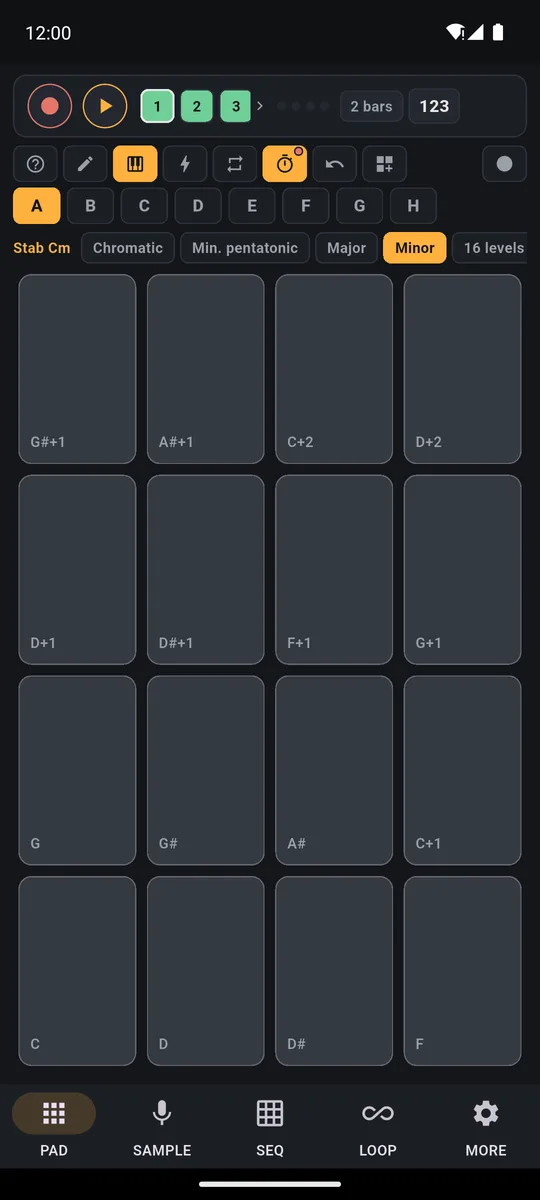
Deep house · 122 BPMChords played on the Keyboard, bass and vibraphoneHow to make house music
Listen to 10 more
-
UK drill · 142 BPMDrill hi-hats, dark cello and violin, 808How to make drill beats
-
Afro house · 120 BPMPercussion loops, marimba, cello and bassAfro house and amapiano on your phone
-
Melodic trap · 140 BPMPiano and flute, with trap 808s and hi-hatsMelodic trap, step by step
-
Lo-fi jazz · 82 BPMJazz piano, vibraphone and an electric bass played on the KeyboardHow to make lofi beats
-
Piano house · 124 BPMPiano stabs, House drums and bass from the KeyboardHouse and techno on your phone
-
Amapiano · 114 BPMLog drum, jazz piano and marimbaHow to make amapiano
-
Funk with sax · 107 BPMFunky piano, sax and electric bassHow to make beats on your phone
-
Piano, marimba and saxPlugin instruments with real recorded notesHow to play in key
-
Amapiano · 112 BPMDrums and piano from the Afro kit, log drum and whistleAmapiano with the log drum
-
Reggaeton · 95 BPMDembow and piano from the Reggaeton kit, 808 and air hornHow to make a reggaeton beat
How it works
From the first hit to a finished track, in three steps
-
1
Play
Tap a pad and it plays instantly. Switch on Touch dynamics in MORE and a pad plays louder when you hit it near the bottom. The first time you open the app, a light beat starts in one tap, free. A Ready beat (in the trial or with full PadLoop) puts richer drums and bass under your fingers.
See how the drum pads work → -
2
Record a loop
Press REC and play: the loop keeps cycling and every pass adds a layer until you tap REC again. You get 16 tracks (2 free, the rest with the one-time unlock), always in time.
See how the looper works → -
3
Sample, split, export
Grab sounds from the mic, from a song split into parts, or from the dice in Create a sound. Then export your track to MP3 or WAV, save it to your phone or turn it into a video for TikTok and Reels. The sampler, Create a sound, Split a song and export come with full PadLoop and are open during the 7-day trial.
How to remove vocals from a song →
Tutorial
The video tutorial, in two minutes
From the first recorded loop to a song split into parts: watch PadLoop actually playing, with no fake edits.
- 0:00 Record a loop
- 0:28 Play it live
- 0:55 Keyboard
- 1:17 Instruments
- 1:41 Split a song
Transcript
- 0:00 How PadLoop works
- 0:02 Pick a track, tap REC and play the pads
- 0:05 What you play becomes a loop…
- 0:08 …and it keeps repeating, in time
- 0:12 Add a new layer on track 2
- 0:16 Track 3: chords
- 0:20 Track 4: bass
- 0:24 Four layers, all in time. No editing.
- 0:27 In the LOOP tab you mute tracks, in time
- 0:32 …the bass too
- 0:36 Drop!
- 0:39 Hold an effect while it plays: filter, echo…
- 0:47 Note repeat: hi-hat rolls, in time
- 0:51 Record everything you play and share it as audio
- 0:54 Turn any sound into a Keyboard, in a scale
- 0:57 Every key is in tune: chords with no music theory
- 1:02 Back to the pads for the drums
- 1:07 The bass on the Keyboard too
- 1:12 And it is already a track
- 1:16 Download instruments: piano, marimba, sax and more
- 1:19 Grand piano chords, recorded as a loop
- 1:25 Marimba on top, played live
- 1:30 Then an alto sax melody
- 1:35 Every pad is a real note, always in tune
- 1:40 Pick any song from your phone
- 1:42 It is split right on the phone, offline
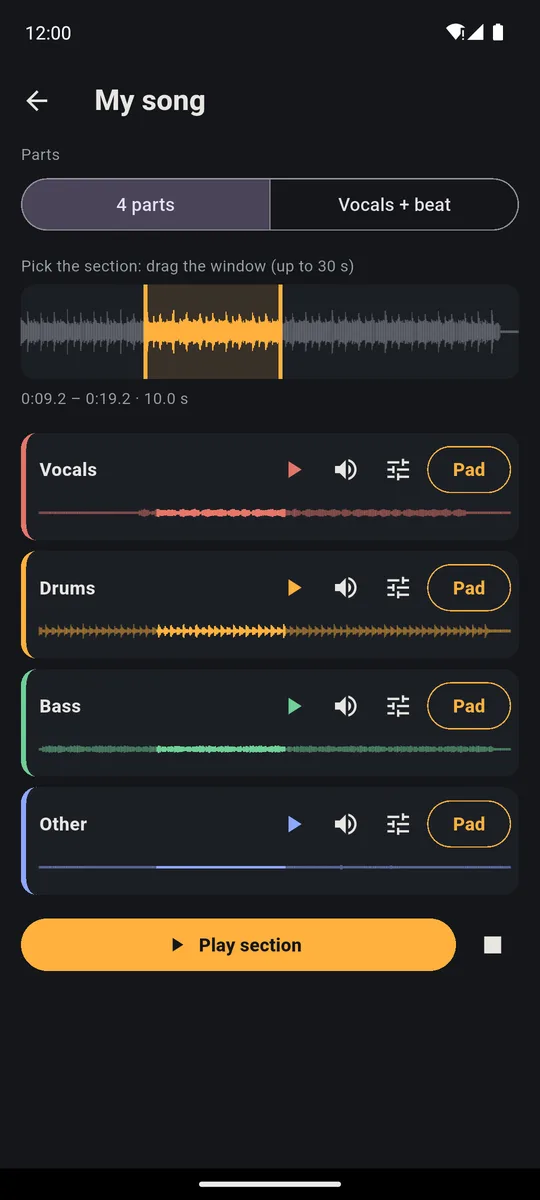
- 1:45 4 parts: vocals, drums, bass and the rest
- 1:50 Just the vocals
- 1:56 Or just the beat
- 2:01 Put the parts on your pads
- 2:04 …and remix the song live
Honest pricing
Try everything. Then you decide.
No ads, ever. No subscription. Try everything for 7 days, then keep the free version or pay once. What you make stays yours and keeps playing.
What €9.99 unlocks, once and for good
- Random Beat: a new beat at every tap, in 17 genres
- Create a sound: roll the dice, Give me 8, or a whole kit of 16 pads
- 80 Ready songs to play part by part, with the Setlist
- Finish whole songs on 16 tracks, not just a loop
- Export MP3 or WAV, also as separate tracks, to post or share
- Full social videos, with a smaller PadLoop logo
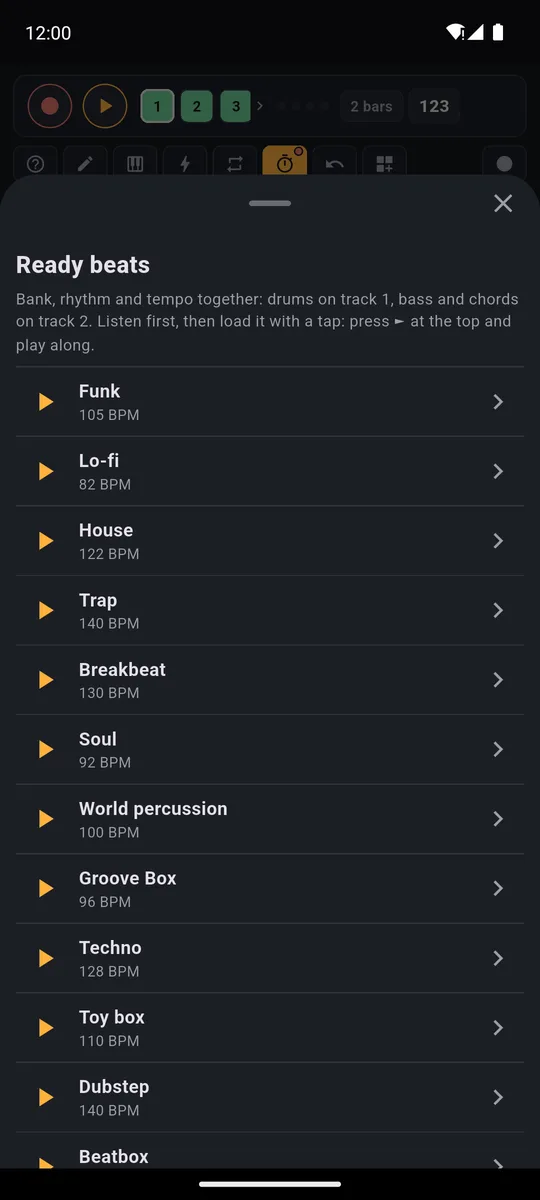
- 35 Ready beats and 29 Ready banks: a full groove in one tap
- Split your favorite songs into vocals, drums, bass and the rest
- Sample your voice and any sound onto the pads
- Every plugin: 9 sound kits and 7 instruments, from piano to handpan
- Record your jam with ● LIVE, save your own banks, keep a project for every idea
Everything unlocked
Random Beat, Create a sound, Ready songs, 16 tracks, sampler and plugins: you try the whole app.
Forever
After the trial you keep playing: 2 banks full of sounds, 2 looper tracks (mic included), SEQ, the Keyboard, effects, one project with its backup and the 15-second social clip.
Paid once
A one-time price, shown in your currency in the store (€9.99 in Europe). One purchase unlocks everything, for good.
Who it’s for
Made for beginners and for people who play every day
Beatmakers
Touch-sensitive pads (switch on Touch dynamics in MORE), tuned 808s, a sequencer with notes and chords up to 16 bars, effects you adjust with your finger and controllers like the MPD218, MPC and Launchpad.
Singers and players
Loop your voice and guitar in time, and run the looper with a foot pedal.
Complete beginners
The first time you open the app, pick a genre and a light beat starts, free. Your hits snap into time and the scale Keyboard never plays a wrong note. With Random Beat and Ready beats (full PadLoop, open during the trial), one tap and you’re playing along.
Play over your favorite songs
With Split a song (full PadLoop) you separate vocals, drums, bass and the rest. Mute the part you want and play it yourself, or turn it into a remix.
Features
Everything PadLoop does
16-track looper
Hit REC and play: the loop keeps going and every pass becomes a layer.
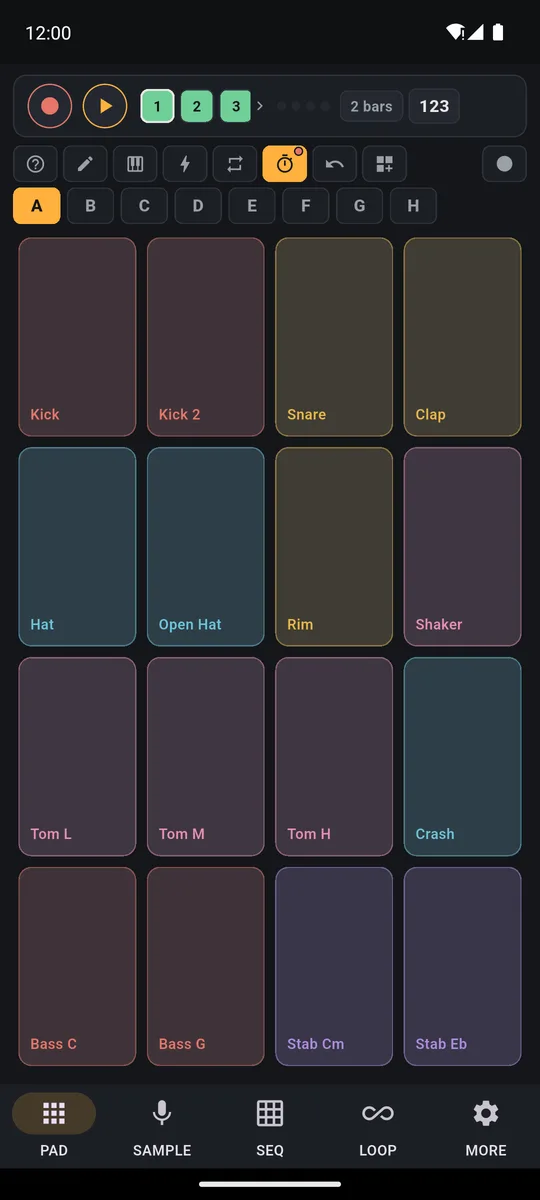
Drum pads
8 banks of 16 pads, finger-controlled effects, note repeat and sounds to create.
Loop pad
Pads that start loops in time: try 16 pads here, then loop them on your phone.
Split a song
Vocals, drums, bass and the rest, separated on your phone, even offline.
Make beats
Drums, bass and chords layer by layer, then export to MP3 or WAV.
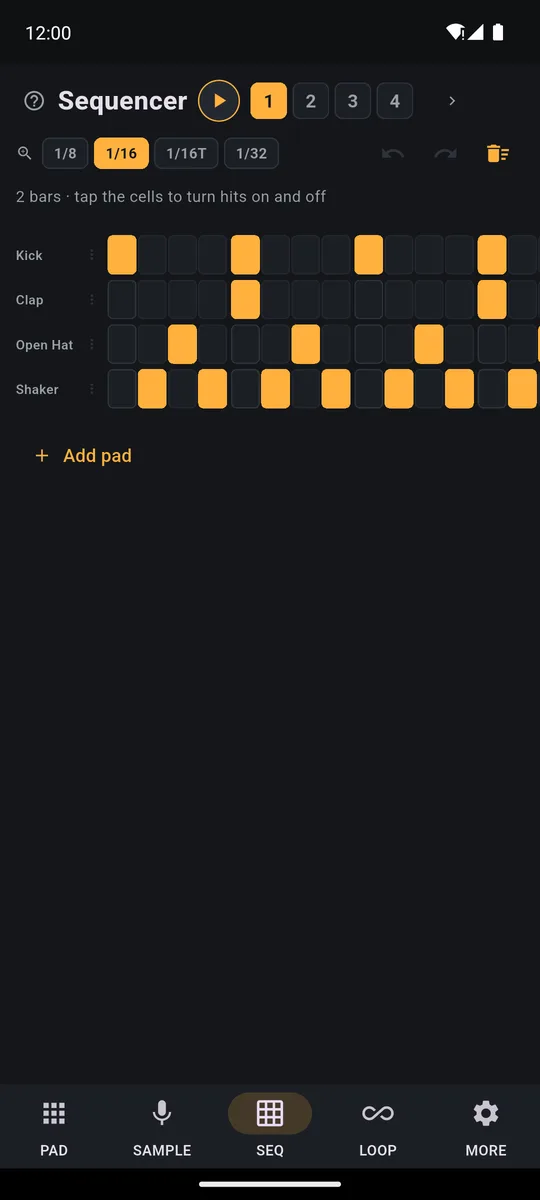
Step sequencer
Beats, melodies and chords written cell by cell, with different bars on every track.
Random Beat
One tap and a full beat plays: 17 genres, from trap to R&B.
Ready songs
80 songs split into parts: go from Intro to Drop when you say so.
Social video
Your beat as a vertical video with pads lighting up in time, for TikTok and Reels.
Ready beats
35 grooves, already recorded: one tap and you play on top.
Scale keyboard
Any sound in a scale on the pads: melodies, bass and chords with no wrong notes.
Handpan
A 9-note D Kurd handpan: play it, loop it, build a beat around it.
Create a sound
Roll the dice: new kicks, 808s, hats or synths, and a 16-pad kit.
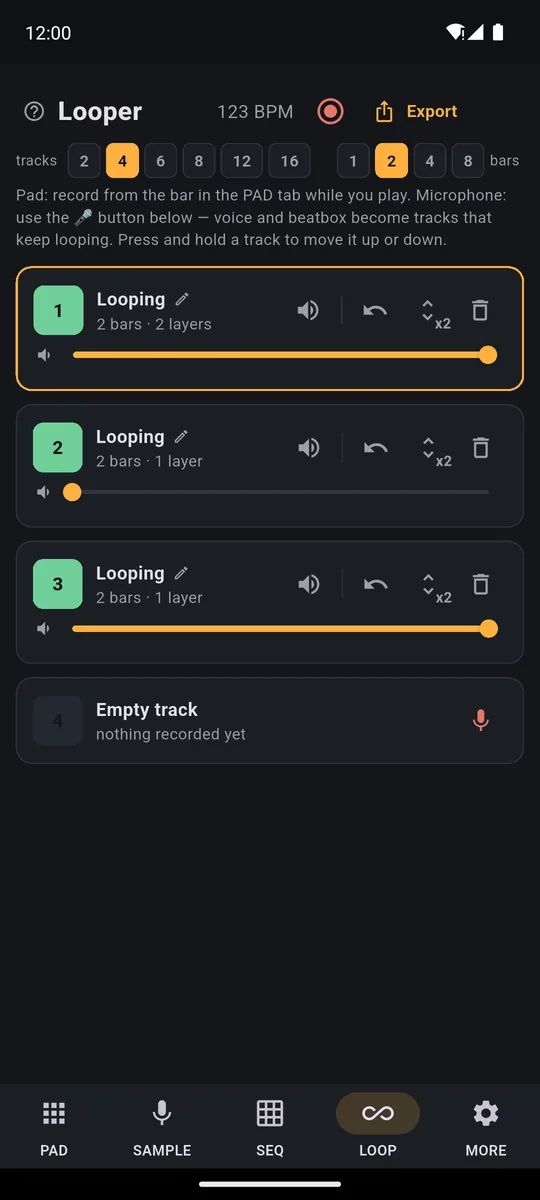
Live looping
Vocals and guitar from the mic on tracks in time, the looper run by your feet.
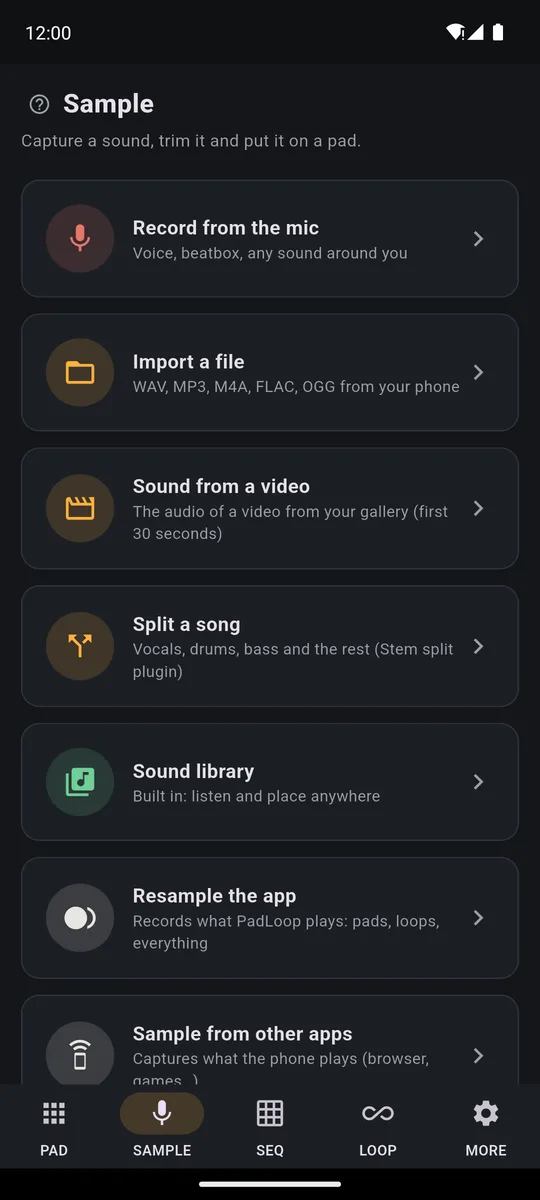
Sampler
Voice, beatbox, objects, files and videos: trim the sound and play it on pads.
Inside the app
The screens, exactly as you see them on your phone
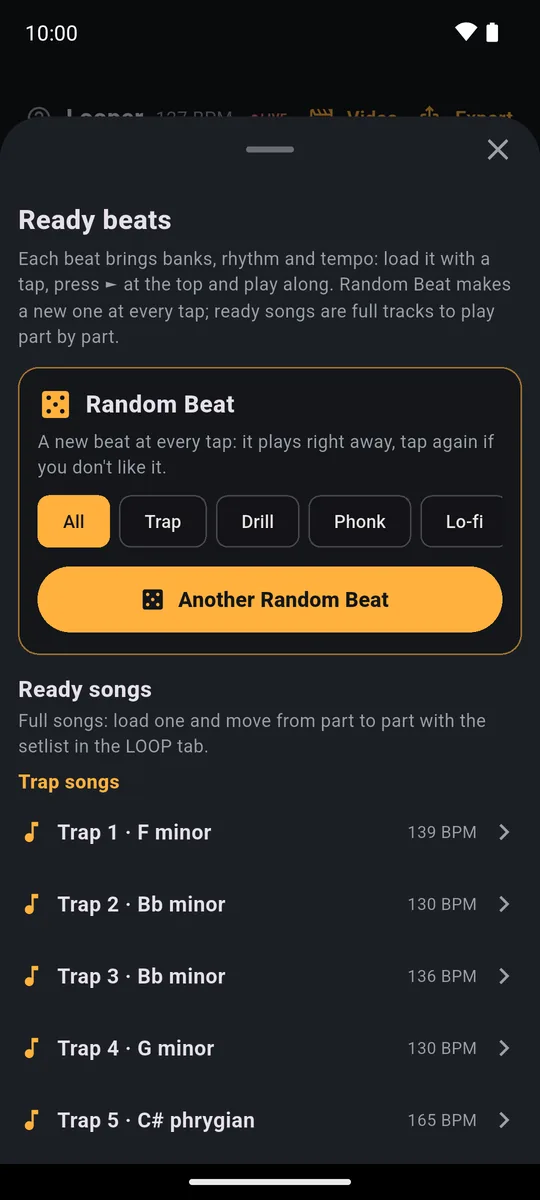
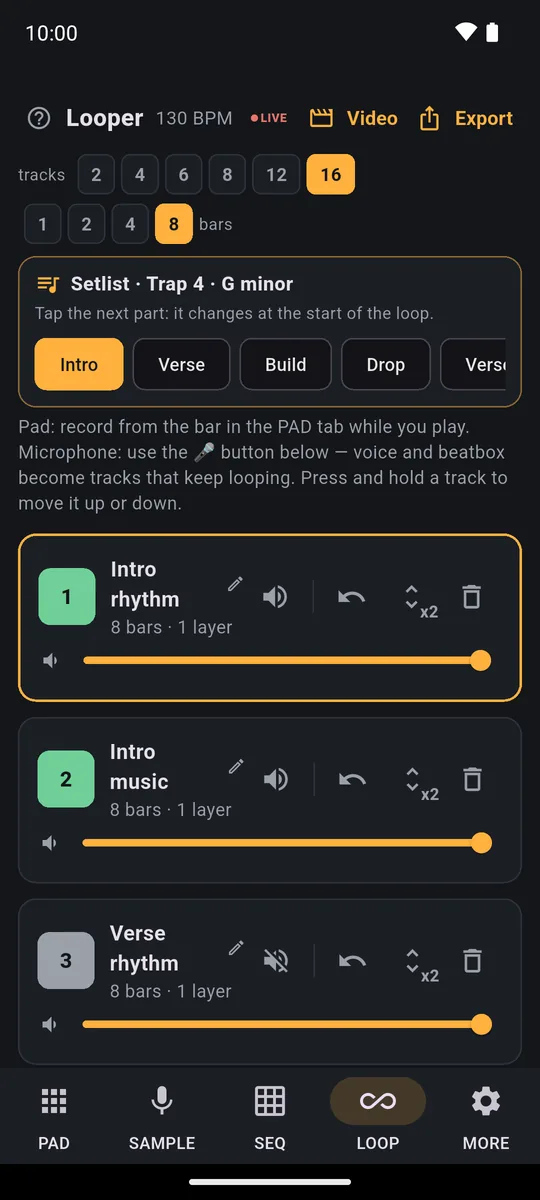
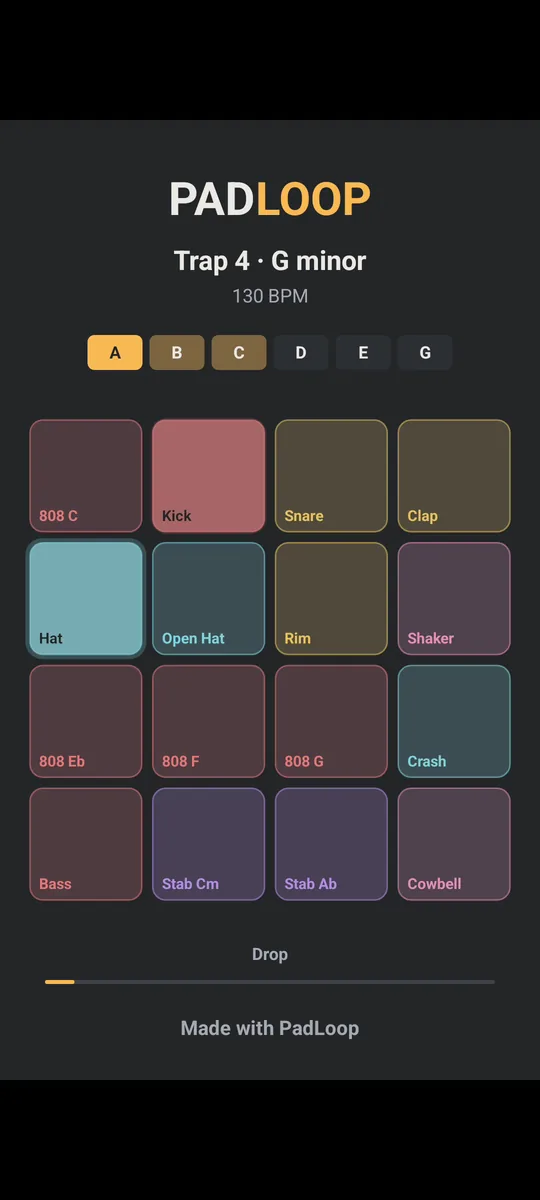
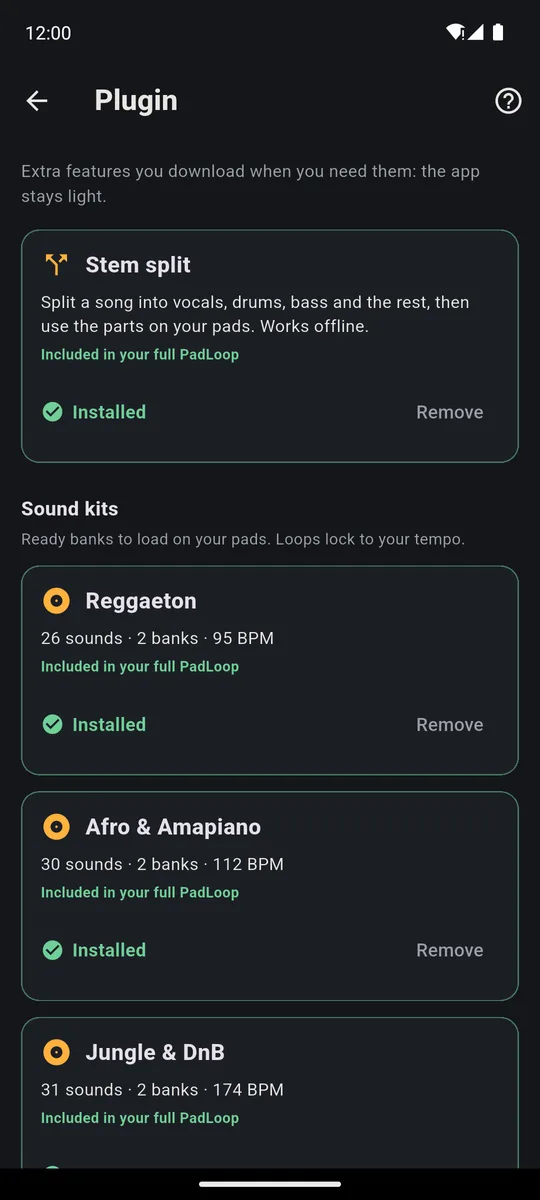
Easy from the first tap. Sounds like the real thing.
Tap a pad and it plays like a drum machine. Switch on Touch dynamics in MORE and a pad plays louder when you tap near the bottom. Record a loop and your hits land in time even if you’re slightly off. Not sure what a button does? Tap ? and it explains it right there on screen.
Inside you’ll find more than 550 sounds, 29 Ready banks and 35 Ready beats, which you can load during the 7-day trial or with the one-time unlock (part of the Sound library is free on A and B). The plugins add 9 sound kits and 7 instruments, from piano to handpan, plus the song splitter.
Your first beat, guided and free for everyone
The first time you open PadLoop, a four-step guide walks you through it. Pick a beat (Hip hop, Lo-fi, House, Trap, Techno or Random) and a light beat starts right away. Then play on the colored pads, press ● REC and record your first loop. The beat uses only the free sounds of banks A and B, so it sounds the same after the trial ends. If you updated from an older version, tap ? and then Replay the intro. Step by step: your first beat in 5 minutes.
What’s new: sounds of your own, a sequencer, effects under your finger
Create a sound: tap the dice and the app invents a kick, an 808, a bass, a synth or an effect in the style you choose (Trap, Drill, Reggaeton, Afro, House, Techno, Lo-fi). Give me 8 gives you eight to audition, Put on a pad assigns one, Full kit fills 16 pads in one go. It isn’t AI: these are synthesis recipes that run on your phone, offline. Create a sound comes with the one-time unlock (and is open during the 7-day trial): see the drum kit maker.
Roll the dice, listen to the eight sounds of Give me 8 and put one on a pad.
SEQ, the step sequencer, now goes up to 16 bars per track. Write notes and chords with the little keyboard, start from a ready drum pattern (Pop and rock, Hip hop, House, Reggaeton or Trap), then set how hard each hit plays and add ratchets (several fast hits in one step). Adding hits is free on tracks 1 and 2; removing hits or changing how hard they play is always free. See the step sequencer for your phone.
Add a drum pattern, write a bass line on the little keyboard and stretch the loop to 8 bars.
Continuous REC: press REC and play. The loop doesn’t close: every pass adds a layer, and ↶ Undo last layer removes only the last one. To finish, tap REC again, or it closes on its own after 4 empty loops. Loops are 1, 2, 4, 8 or 16 bars long. Prefer a single loop? Pick “One loop, then it plays” in MORE. The mic always records a single loop.
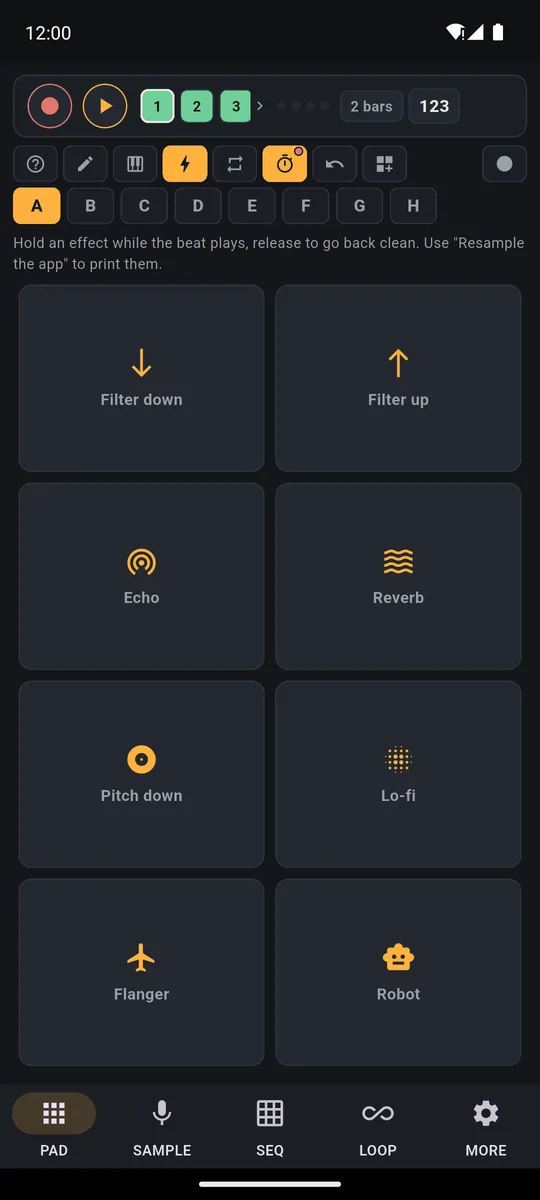
Effects under your finger: the bolt now has ten effects you hold down (Filter down, Filter up, Echo, Reverb, Pitch down, Lo-fi, Flanger, Robot, Tape stop, Freeze). Drag your finger: up is more, down is less. ● Record with effects captures the next loop, effects included, on a new track (free on tracks 1 and 2).
Controllers: plug in an Akai MPD218, an MPC or a Novation Launchpad and pick the ready-made map. Over USB it connects automatically; for Bluetooth, search in MORE. A MIDI keyboard plays the Keyboard at its real notes. MIDI is free: see MPD218, Launchpad and MPK Mini.
Save to phone: after exporting an MP3 or WAV (a full PadLoop feature), tap Save to phone and the file goes to Music/PadLoop. The same works for the project backup, which is free (MORE, then All projects): it lands in Download/PadLoop. This works on Android 10 or later. On iPhone, use Share and save to Files from the share sheet.
A beat in one tap, whole songs, videos
Random Beat makes a complete beat at every tap, in 17 genres (now also UK garage, Jersey club, Dancehall and R&B): drums, bass and chords or melody start right away, each on its own track. There are 112 beats already in the app and more than 2,700 with the Random Beat plugin (about 1.8 MB). It’s built from musical rules, not AI. Ready songs are 80 whole tracks split into parts (Intro, Verse, Drop, Outro…): tap the part you want in the Setlist: it switches at the end of the loop, and you play on top. Both come with full PadLoop and are open during the 7-day trial: see the random beat generator and the ready-made songs to play.
And when you like your beat, tap Video in the LOOP tab: you get a vertical video with the pads lighting up in time, ready for TikTok and Reels. The 15-second clip is free forever, with the PadLoop logo. Here’s how to make a beat video for TikTok and Reels.
Frequently asked questions
Is PadLoop free?
Yes. You get 7 days with everything unlocked, then it stays free forever with 2 sound banks, 2 looper tracks, SEQ, the Keyboard, the effects, the guided first beat, one project with its backup and the 15-second social clip. If you like it, a single purchase unlocks everything else, with no subscription.
Why pay if there’s a free version?
The free version is for playing. Full PadLoop is for finishing: 16 tracks for a whole song, export and full videos to share it, Create a sound, Random Beat, Ready beats and Ready songs to play over. You pay once, at a price shown in your currency in the store (€9.99 in Europe), with no subscription, and it’s yours to keep.
Can I release beats made with PadLoop?
Yes: the sounds, Ready banks, Ready beats and plugins can be used in your own music, released music included. You can’t redistribute them as standalone sounds, and parts taken from other people’s songs need their rights.
Does it work on Android and iPhone?
Yes. On Android you need version 7 or later, on iPhone iOS 15 or later. Splitting songs needs a phone with at least 3 GB of RAM on Android and 4 GB on iPhone. The trial costs nothing, so you can see how it runs on your phone before you pay.
Is there a delay between tap and sound?
Play through the phone speaker or wired headphones and run “Calibrate pad taps” once in MORE: your hits land where you play them. Bluetooth headphones add 100 to 300 ms that no app can remove.
Do I need to know how to play an instrument?
No. Play roughly in time and the app snaps your hits into place. The first time you open it, a light beat starts in one tap, free. The Keyboard lays one sound out in a scale across the pads, so there are no wrong notes. And with Random Beat and the 35 Ready beats (full PadLoop, open during the 7-day trial), you play over a full groove.
Can I export what I make?
Yes, with full PadLoop or during the 7-day trial: export to MP3 or WAV, also as separate tracks to finish the song on a computer, and record your jam live with ● LIVE. On Android 10 or later, tap Save to phone. In the free version, your loops stay in the app and keep playing, project backup is still free, and you can turn your loops into a 15-second clip for social media, with the PadLoop logo.
Do I need an internet connection?
No. You play, record and split songs offline. Internet is only needed to download the plugins (including the one for Split a song), to start the trial on iPhone and to buy: everything else works without it.
Free music tools and instruments to play online
Real instruments to play with your fingers and tools that musicians use every day. They open in the browser, work on phones, and you can install them to use without internet.
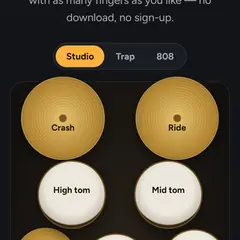 Virtual drum kitKick, snare, hi-hat, toms and cymbals. Studio, Trap and 808 kits.
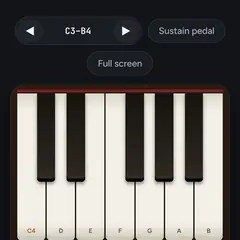 Online pianoReal recorded piano notes, multi-touch, with sustain pedal.
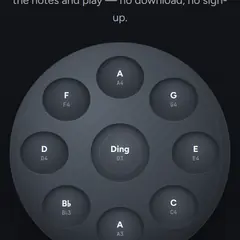 Online handpanA real D Kurd 9 recorded note by note, with the Ding's shoulder.
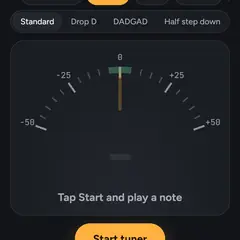 Guitar TunerStandard tuning E2 A2 D3 G3 B3 E4, string found by itself.
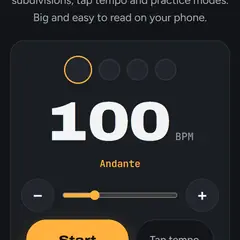 Online metronomePrecise click with time signatures, subdivisions and speed-up.
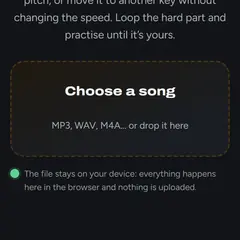 Slow down musicChange speed or key, loop a part A-B to practice it.
Guides
First beat in 5 minutes
From first launch to a loop of your own in minutes, with a free guide.
How it works
Every button and all five tabs, explained for your first time in the app.
Ideas to try
Beats, dice-made kits, handpan, karaoke, live loops: 16 ideas to get you playing.
Free beat maker
Your first beat is free: 32 pads, 2 tracks and the Keyboard, with no ads.
Make a song
Beat, vocals, verse and chorus: your whole song, exported as an MP3.
Drum beats for practice
Just the drums, at any tempo, to practice guitar, bass or vocals over.
Karaoke track
Strip the vocals from a song and sing over the real backing track, on loop.
Play along with songs
Mute your part in a real song and take its place, right on your phone.
Record vocals
Your voice from the mic on a track in time with the beat, with doubles and harmonies.
Beatbox looper
Your beatbox in loops, layer by layer, or chopped onto the pads hit by hit.
Drum machine
Ready-made patterns, cells, accents, ratchets and swing: drums in your phone.
Loop station with pedal
A 16-track looper run with your feet: record, undo the last layer, change bank.
MIDI keyboard
MIDI keyboards over USB or Bluetooth: they play the Keyboard at the real notes, with sustain.
Pad controllers
Ready-made maps for MPD218, MPC and Launchpad, velocity, knobs and MIDI channel.
No subscription
No subscription, no ads: a trial, a free version and one purchase for everything.