
Sound from a video
Sample the sound from a video and play it with your fingers
A laugh, a door slam, a line someone says in a clip you filmed: PadLoop takes the audio from a video saved on your phone, lets you trim it and puts it on a pad. The video isn't changed.
- From your phone's gallery, the first 30 seconds of audio
- Handles, split on hits and chop by hand
- On a pad in a few taps, ready for the looper
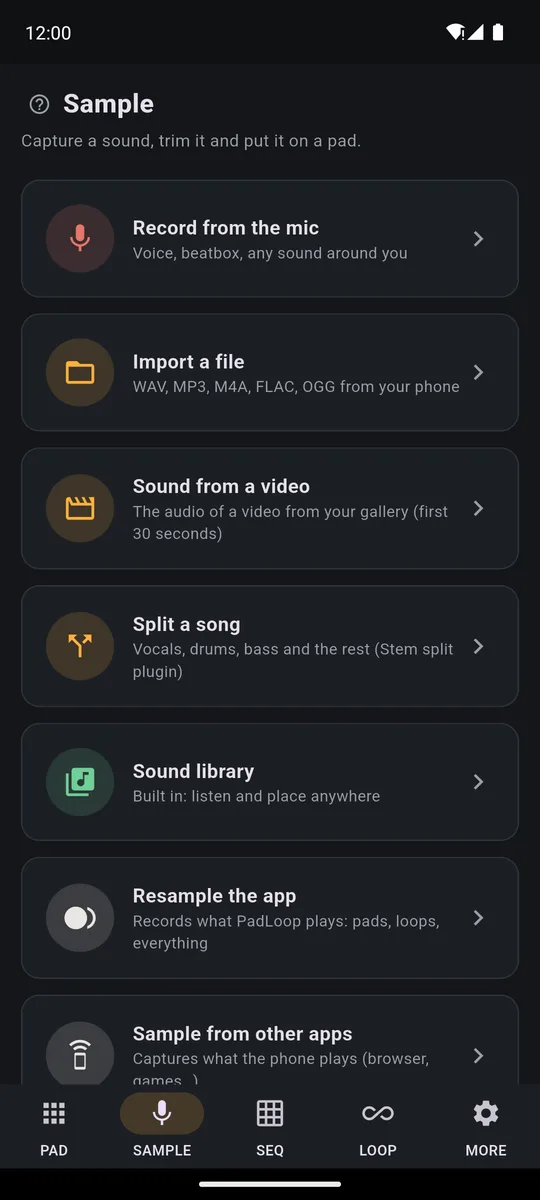
Making music with the audio from a video takes a few taps in PadLoop: in the SAMPLE tab tap Sound from a video, pick the clip from your gallery and keep the part you need with the handles. Then tap Assign to a pad and play it with your fingers. The app takes the first 30 seconds of audio and the video stays as it is.
Watch the video on its own page →
Transcript
- 0:00 Sound from a video: its audio becomes a sample
- 0:01 SAMPLE > Sound from a video: your gallery opens
- 0:06 Pick the video (here one of ours): the app takes its audio
- 0:08 With the handles, keep just two bars
- 0:08 Pick the video (here one of ours): the app takes its audio
- 0:09 With the handles, keep just two bars
- 0:12 Split on hits: 16 pieces on bank F
- 0:20 In order, the groove comes back
- 0:25 Beats reshuffled: a new groove from the same video
From video to pad
- In the SAMPLE tab tap Sound from a video: your phone's gallery opens.
- Pick the video: PadLoop takes its audio, the first 30 seconds, and opens it ready to trim.
- Move the two handles to keep only the part you need and tap Listen until the cut sounds right.
- If there's a steady background noise, like a hum, tap Clean up noise; Undo clean-up brings back the original.
- Name the sound and tap Assign to a pad, or use Split on hits to spread it across several pads.
- Play it: tap the pad and it starts at once, and with REC you record it into the looper with everything else.
Sound from a video is part of the sampler, which belongs to the full version along with the mic, files and the Sound library: any clip becomes a pad. All of it is included in the 7-day trial, so you can start today.
Turn a friend's laugh or a passing train into a pad you can play, starting from a clip already in your gallery.On iPhone: in MORE tap the top row, then Start the free trial. It costs nothing and does not renew.
Get PadLoopWhich videos work?
The videos in your gallery, like the ones you shot with your phone: a night out, a gig, a friend's voice, a passing train. Sound from a video is on both Android and iPhone.
- The video needs an audio track. If it has none, PadLoop tells you and opens nothing.
- It starts from a file you already have. The video has to be saved on your phone: from your gallery, not from a website.
- The first 30 seconds count. Is your moment further in? At the bottom of the page there are two ways to reach it.
The audio becomes a sound to play inside the app, and the video in your gallery stays intact.
A precise cut, at full volume
You see the waveform: the two handles set start and end, and the magnifier zooms in for a precise cut, say right before a word.
- Normalize volume is on by default: it brings the sound to a full level, close to the other pads. Even a voice recorded from across the room no longer comes out quieter than the rest.
- Clean up noise removes steady background noise, like hum, hiss or fans. It won't remove a TV or background voices, and it needs at least one moment where your sound is silent.
Cut on the silence: start the left handle a hair before the sound kicks in. The pad answers your tap straight away and the hit lands in time.
A rhythm from the video on 16 pads
Is there a rhythm in the clip, like clapping, a drum kit or footsteps? You don't need to cut every hit. Split on hits spots each hit in the chosen section and gives it its own pad, one after another starting from the pad you pick: sixteen at most. Then replay them in any order you like.
For voices and melodies, where the hits aren't clear, there's Chop by hand: while the section repeats, you tap CUT at the exact point you want to break it, and every word of a sentence gets its own pad. Every other way to get a sound in is on the sampler page.
Play it on the pads: modes, pitch, effects
On the pad, the sound from your video works like any other. Turn on the pencil (the button that edits pads), tap the pad and choose the Mode:
- One-shot: tap and the whole sample plays, like a drum hit
- While held: it plays only while your finger is down, for cutting phrases on the fly
- Loop: tap and it loops forever, tap again and it stops, for a background texture
Transcript
- 0:00 Pad modes: how each pad plays
- 0:01 A normal vocal: tap and it plays to the end (One-shot)
- 0:03 Pencil, Direction: Reversed. The same vocal, backwards
- 0:10 Mode: While held. The loop plays only while your finger is down
- 0:20 Loop: one tap starts it, one tap stops it
Then shape it: raise or lower the Pitch by up to an octave, flip it Reversed, add Filter, Echo or Lo-fi.
Sampled a rhythm? Set Tempo to In time with the project and tap Detect: the section settles at your loop's speed (the BPM, beats per minute) without getting higher or lower in pitch.
Transcript
- 0:00 Shape the sound of every pad
- 0:02 The beat plays the pads of bank E
- 0:04 Pencil on: tap a pad and its panel opens
- 0:07 Echo on the chords pad: you hear it right away in the loop
- 0:09 Filter: the chords get darker
- 0:11 Snare: pitch up and a touch of Lo-fi
- 0:17 Volume, attack, release, mode, reverse: every pad is yours
With the Keyboard (the piano button), a single sound spreads over all the pads in a scale: one syllable from a video becomes a melody.
Is the part further into the video?
Sound from a video reads from the start. The simplest trick: open the clip in your gallery's editor, trim off everything before the moment you want and save the result as a copy. Now that moment is the start, and PadLoop picks it up.
On Android 10 and later there's also Sample from other apps: PadLoop records whatever your phone is playing, up to 2 minutes. Start the video in your gallery app and capture the exact spot you want. The system asks for permission with its own dialog, as it does for screen recording. Some apps protect their content, streaming apps for example: all you get from them is silence. This feature isn't available on iPhone.
For a whole song, use Split a song instead: it separates vocals, drums, bass and the rest from an audio file.
Clips you shoot, and clips by others
Audio from videos you filmed yourself is yours to use anywhere, published tracks included. With audio from other people's videos or songs, learning, practicing and having fun are fine; a track you publish that contains it needs the rights of whoever made it.
Grab the sound from three different videos and make a beat out of them: the sampler is included in the 7-day trial, then it's one purchase, no subscription.On iPhone: in MORE tap the top row, then Start the free trial. It costs nothing and does not renew.
Get PadLoopQuestions about sampling audio from a video
How do I get just the audio from a video on my phone?
In PadLoop open the SAMPLE tab and tap Sound from a video. Pick a video from your gallery and the app takes its audio, the first 30 seconds, ready to trim and put on a pad. The video stays as it is.
Can I save the video's audio as an MP3?
The audio becomes a sound on your pads, inside the app. If you need a file, play the pad with Record performance on and you get a WAV; or record it on the looper and export to MP3 or WAV. Both routes come with the full version, and you can use them free for 7 days.
Does it work on iPhone?
Yes, Sound from a video is on both Android and iPhone. Only Sample from other apps, which captures what your phone is playing, is limited to Android 10 and later.
Can I sample audio from a YouTube video?
PadLoop works with videos already saved on your phone, like the ones you shoot yourself: it doesn't download anything from the internet.
What if the video has no sound?
PadLoop tells you it found no audio in this video. Pick another one, or record the sound with the mic instead.
Can I use audio from other people's videos?
For practice and learning, yes. A track you plan to publish that contains audio from other people's videos or songs needs their rights; videos you filmed yourself are yours.
Last updated:


